Showing posts with label global education. Show all posts

Sunday, April 17, 2016

Evaluating Technological Tools

Building one’s local and/or global network requires little effort in today’s world thanks to social media and other technological tools.  Whether you are an educator looking to connect with other like-minded educators or you want to connect your students to the world, there are ample opportunities to do so.  Here are three tools that do just that and ways in which one could use them in their classroom to enhance teaching and learning.


Blogging consists of sharing one’s thoughts and ideas through posts.  Within these posts you can add keywords or terms that allow other users to connect with you blog on a more personal level.   Weebly, Wordpress, and Blogger are three platforms teachers can easily set up for their students to do just that.  Through blogging, students have an outlet to share their insights and ideas. Whether it be local issues of global issues, students become part of the conversation.  This is particularly useful in rural areas where students may feel secluded from the rest of the world.   Another great feature of these tools is that students can comment on the posts of others.  As a teacher, generating conversation among our students is something we strive for and by allowing students to do respond to one another’s post, we are doing just that.  


iEarn (The International Education and Resource Network)
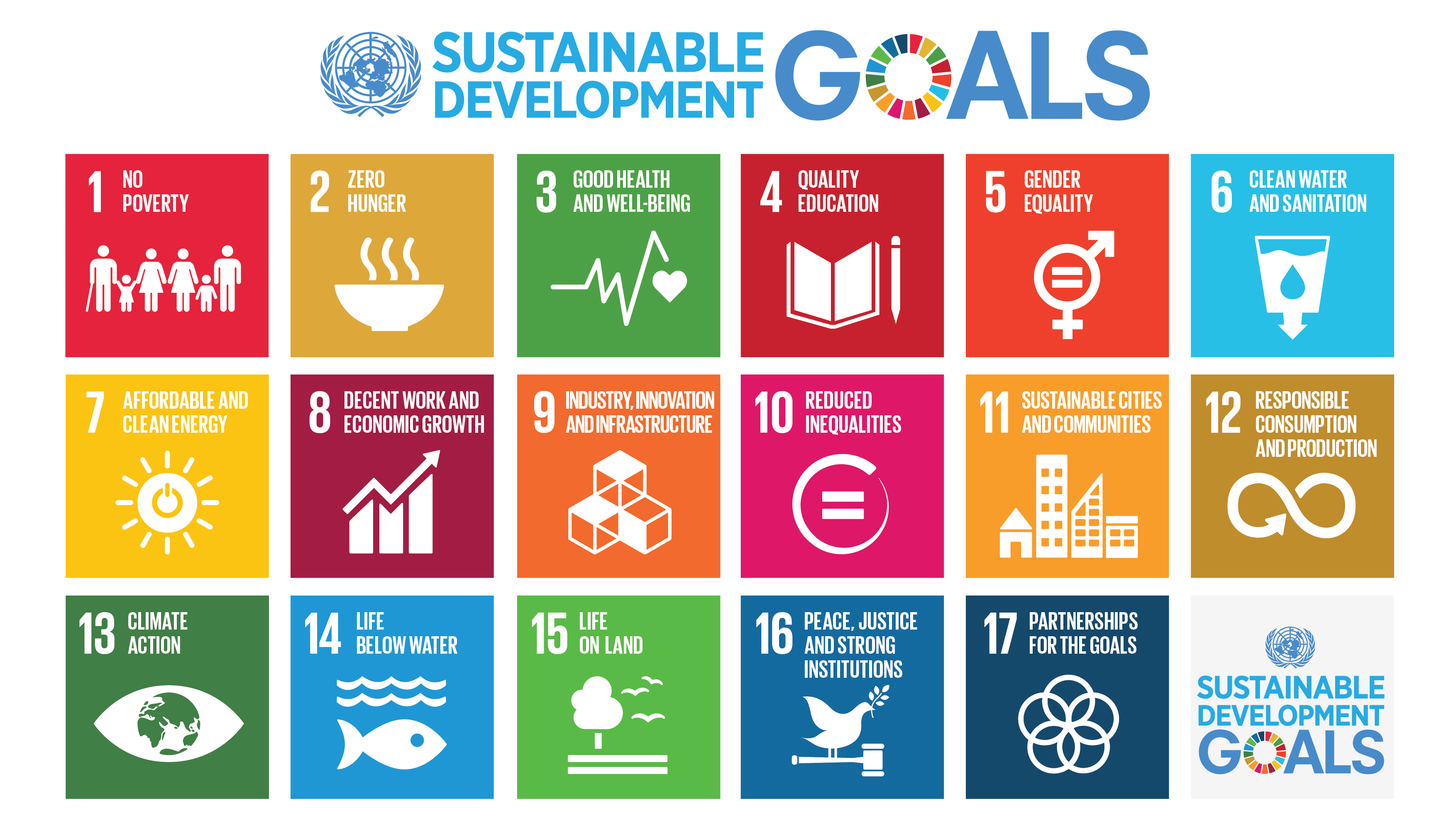
The motto of iEarn is to learn with the world, not just about it.  iEarn is a non-profit organization whose goal is to connect educators and students with others around the world to collaborate using technology.  They want to see students change the world and believe that through collaboration they can do just that.  Currently it is the largest non-profit organization of its kind with over 30,000 schools and youth organizations taking part in collaborative projects (Bates, 2014).  iEarn also boasts a safe environment for students and schools to engage with one another on these collaborative projects which means schools can feel ensured that they are using a reputable tool.  From solving the world's hunger crisis to analyzing climate changes, students collaborate with others to work toward solving some of our biggest issues.  The image below shows the goals of the collaborative projects students all over the world partake in.


TakingItGlobal is “one of the world's leading networks of young people learning about, engaging with, and working towards tackling global challenges (“About TakingItGlobal”).  The main users of TakingItGlobal are the youth of the world for the sole reason that today’s youth will be responsible for tackling some of the major challenges we face in society today.  Besides empowering students to take a stance and make a change, the vision of TakingItGlobal is to help students understand and empathize with the world around them.  Their educational website (http://www.tigweb.org/tiged/)  offers many resources and suggestions for how to use TakingItGlobal in the classroom and with your students.  Registering your school is simple and free.  Once you have registered then you may search for collaborative projects that suit the needs of your students. Teachers can even partake in professional development courses offered through the site to help them better understand how to use TakingItGlobal in the classroom.  


References:


Bates, L. (2014 April 30). 5 great tools to make global classroom connections.  Fractus Learning. Retrieved from http://www.fractuslearning.com/2013/05/31/global-classroom-connections/


Singmaster, H. (2015 April 16). Technology ideas and tools to connect students to the world. Education Week.  Retrieved from http://blogs.edweek.org/edweek/global_learning/2015/04/technology_tools_to_prepare_your_students_for_the_21st_century.html


TakingItGlobal about. Retrieved from http://www.tigweb.org/


iEarn about. Retrieved from https://iearn.org/about


Sunday, April 3, 2016

Moral and Legal Issues


Moral issues surrounding technology use have much to do with how our students interact and engage with the technologies around them.  Take for instance, social networking sites (Facebook, Instagram, Twitter, etc) that can bring about concerns from parents and teachers of ruined reputations, hurt feelings, lost friends, and time wasted online.  Inappropriate use of these sites can morally harm a person.  Use of these technologies may also lead to a very common phrase heard today, cyberbullying.   Cyberbullying is the intentional act of posting harmful images or words in order to hurt someone else.  A moral issue that many children, teens and adults deal with today.  This is why schools are working toward instilling “acceptable use policies” that review the terms for acceptable use on the internet and what proper moral behavior includes.  Some schools have even adopted a technology curriculum that focus on netiquette.  Netiquette is simply etiquette on the Internet.  Just as we once were taught how to properly converse and collaborate with one another face to face, we now must educate our youth on how to do the same online.  All of this connects with the bigger picture of how do we keep ourselves private in a world where everyone seems to be opening up about themselves to strangers. To be blunt, The Internet is not a place for people to be left alone and therefore we cannot expect complete privacy.  We can however, moderate and control what is said or posted about us if we are vigilant.

For myself, I limit my use of social networking sites and what I post on them or who I allow to see them. These simple steps can do much for one's privacy in the end. I also tend to use my Twitter account as more of a networking tool rather than for personal use. My students are too "young" to have social media accounts but of course many of them still do. When we have discussions in class pertaining to "stranger danger" as we must do every year, I also use this as a time to talk about "stranger danger" on the internet and ways to protect yourselves. We also look at ways in which comments can hurt others because text can be interrupted in many ways. Common Sense Media is a great resource to help fuel these discussions and offers valuable resources.


Legal issues surrounding technology on the other hand have to deal with how we use the information we get from the Internet.  For instance, copyright laws protect original works by people from being stolen or what we refer to as “plagiarism”.  Plagiarism has all to often been occurring due to the ease of access students have to the information around them.  Many students unfortunately do not know what they are doing is in fact plagiarism and by teaching our students how to properly cite or give credit to their sources, we are helping them to become better digital age citizens.  Fair Use and Creative Commons are doctrines found under the Copyright Law that allow educators and students to use information if it is not for commercial use in ways that will not result in prosecution.  According to Stephanie Raccine of Off the Page Creations, here is what one cannot do under the Fair Use doctrine:
  • Copy pictures to use on your brochure or website that you found on the internet (even if you put up the copyright line of who holds the copyright, this is considered infringement)
  • Purchase a license to use a photo on your brochure, then continue to use it on your website, flyers, and postcards unless it is stated in the license
  • Copy text out of a book or off from a website and use it verbatim
  • Put music on your website without permission
  • Post an article without permission, even if it's about you
  • Use an image by linking to it rather than copying it (This is still copyright infringement)


Farnese, R. (2012 April 13). Legal, ethical and social issues in technology.  Slideshare.  Retrieved from http://www.slideshare.net/rachelfarnese/legal-ethical-and-social-issues-in-technology


Raccine, S. (n.d.). Legal issues and the internet.  Off the Page Creations, LLC.  Retrieved from http://www.offthepagecreations.com/legal_issues_internet.php

Monday, March 28, 2016

Using Blended Learning to Promote Global Education


There is a new buzzword (perhaps not new to some), or rather phrase, often heard in the educational community today.  That phrase is “blended learning”.  So what is blended learning and how does it fulfill the objective of our students connecting on a global perspective?  Depending on who you ask, you will get a different definition of what blending learning is or what it entails, however, according to Charles Graham of Bringham and Young University (2004) blended learning is the convergence of two teaching methods: traditional teaching (face to face) mixed with computer-based technologies.  Some schools have adopted the model of a blended classroom because it allows for the best of both worlds.  Students are able to connect with the outside world from the comfort of their classroom, all while still building on the fundamentals that take place in the classroom, such as relationships with the teacher and their peers.  When it comes to promoting global education, blended learning is essential if we want to encourage our students to collaborate with others to solve real and complex issues of the world.  


Here are my top three favorite tools to promote global learning:

One tool that allows for live streaming video anywhere in the world is Periscope.  Periscope is free and those who have a Twitter account are able to connect easily since it is run through Twitter.  When using Periscope in the classroom, students may collaborate with others across the globe.  For instance, students could demonstrate specific customs they practice with others or simply take someone on a tour of their school.  


Kahoot is a game-based tool that can bring people together through the use of a common code.  I love Kahoot because it is particularly easy to setup for teachers and for students to sign-up.  No matter where you are, you can take part in the same assessment as long as you are given the unique classroom code.  You could have students from different classes around the world compete online to answer questions.


Nearpod allows students and teachers to make interactive lessons and share them with others.  It is also free and the features that it offers are great for students to practice with.  For instance, video, images, links, etc. can all easily be embedded into the lesson.  This would be an excellent presentation tool for both teachers and students.  There are even features that allow students to take or promote “virtual field trips” using 360 panoramic digital content.
Reference:

Graham, C. R. (2004). Blended learning systems: definition, current trends, and future directions.  Pfeiffer. Retrieved from http://www.click4it.org/images/a/a8/Graham.pdf