Showing posts with label 21st century education. Show all posts

Sunday, May 8, 2016

Embedding Digital Texts


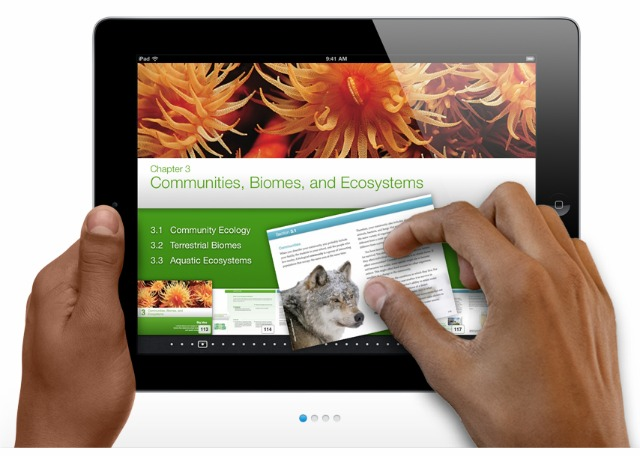
Digital text, or e-text as they are sometimes called, are a text-based format of information meant to be read using technology.  E-books, or electronic books, are e-texts that form the “digital media equivalent of a printed book” (“Digital Text in the Classroom”, n.d.).  In the classroom there are many students who may benefit from these formats to read text and information. Students who cannot see the text have the option to magnify it, change the color, or increase spacing between lines.  Students who may not have the ability to turn the page may have the book read out loud to them.  Students who exhibit trouble decoding words can use the electronic dictionary to quickly access the definition.  Student who like to highlight vocabulary words or important information during reading to help them recall information later, may use the highlighter feature to do so.  Besides helping students who may have physical or learning disabilities, digital text are environmentally friendly and allow schools to cut costs in textbook orders.  Many digital texts also come with media tie ins that allow students to click to watch a video or simulation of an new idea or concept covered in the book.  Something that standard print textbooks cannot do. Even the government is rooting for the transition from printed text to digital text in schools across America. According to blogger Daryl Sessoms, Secretary of Education Arne Duncan and Federal Communications Commission chair Julius Genachowski said on Feb. 1, 2012 that schools and publishers should "switch to digital textbooks within five years to foster interactive education, save money on books, and ensure classrooms in the US use up-to-date content” (Sessoms, n.d.).  In my classroom, I use digital text for novels we are reading.  Students are able to obtain the books quickly and at a lower cost than the printed versions.  


Like digital text, eLearning also allows for faster delivery of information at a lower cost, with a lower environmental impact.  When using it in the classroom, there is more opportunity to provide students with visual information and graphics.  Elearning also allows students to learn at their own pace and is flexible depending on the learner.  Information may be accessed anytime and anywhere so the individual accessing it has the chance to absorb the information at a time that is right for them.  In the classroom, using visual presentations in connection with discussions is one way to incorporate elearning.  Elearning can also be used to encourage students to advance on their own.  


Building off the idea of eLearning, open course software allows users to expand and build upon previously learned concepts at their own pace.  Many institutions offer courses that are free and accessible after a simple registration. These institutions are part of the Massive Open Online Course Movement (MOOC).  This site provides nine resources for free online courses.


References:


Ferriman, J. (2014 October 14).  Using elearning in the classroom.  LearnDash. Retrieved from http://www.learndash.com/using-elearning-in-the-classroom/


Sessoms, Daryl. (n.d.). 9 benefits of the e-books that makes them valuable classroom technology.  Securedge Networks.  Retrieved from http://www.securedgenetworks.com/blog/9-Benefits-of-e-Books-That-Make-Them-Valuable-Classroom-Technology


Digital text in the classroom. Montgomery School System.  Retrieved from http://www.montgomeryschoolsmd.org/departments/hiat/training/collab_cycle/online_reading_resources.pdf

Sunday, May 1, 2016

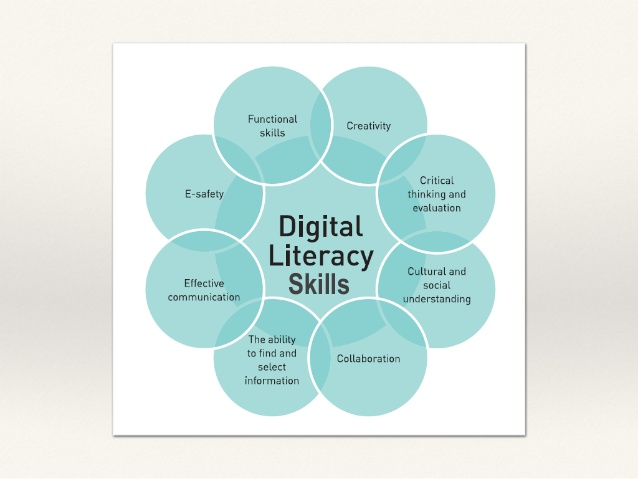
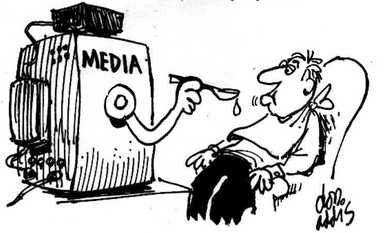
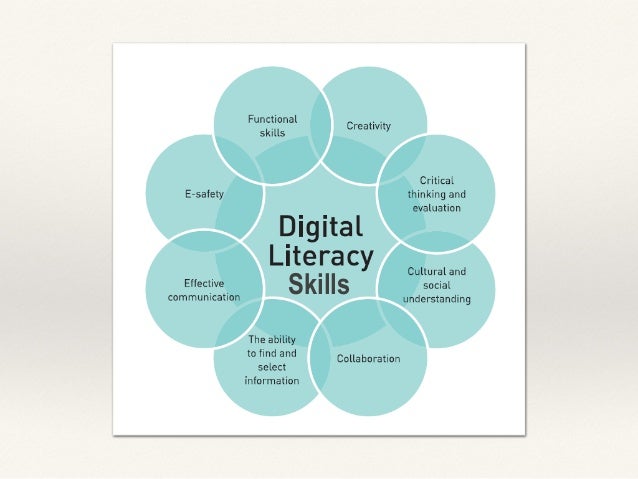
Building Media Literacy


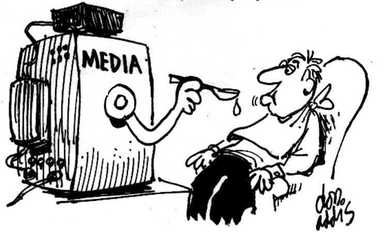
The world is changing for our students in terms of their citizenship, relationships and the workplaces they will enter.  In terms of citizenship, they are becoming “digital citizens” where they have a multitude of ways to exchange information, retrieve information, and perceive information.  Relationships are made through connection with others in a common work place and give users a sense of their identity as their network evolves.  Finally, in terms of the workplace, “basic digital operational and communication skills are required throughout most levels of the modern workforce and understanding how to create meaning and connect messages to people in the saturated media landscape is vital to any business endeavor” (The Media Spot, 2015).  


The process in ensuring that our students are able to fit into all three categories is to begin by implementing media literacy in the K-12 classroom.  Media literacy is not just a new subject to teach, but it is a new way in which we teach.  In 2005, the Center for Media Literacy (CML) posed five questions that are intended to help teachers bring media literacy into their classrooms.  These questions are used as guides to deepen discussions and conversations with their students.  They are:
  1. Who created the question?
  2. What creative techniques are used to attract my attention?
  3. How might different people understand this message differently?
  4. What values, lifestyles and points of view are represented in, or omitted from, this message?
  5. Why is this message being sent?
(Share, Jolls & Thoman, 2007)


Along with these questions, the CML also has five core concepts to keep in mind when teaching through media literacy.  
CML’s Five Core Concepts:
  1. All media messages are ‘constructed.’
  2. Media messages are constructed using a creative language with its own rules.
  3. Different people experience the same media message differently.
  4. Media have embedded values and points of view.
  5. Most media messages are organized to gain profit and/or power.
(Share, Jolls & Thoman, 2007)


When students are able to answer these questions and fully understand these concepts, then they are on their way to understanding how media is created, what their purposes are and how to use appropriate media messages so they can be heard.  This is not something that happens in one year, five years, or even ten.  It is an ever-evolving process that must start in the K-12 classrooms if we want our children to be ready for the competitive global workforce that is upon us right now.  Empowering our students with the skills necessary to answer the CML’s core questions is where we must start.  

References:


The Media Spot. (2015).  Media literacy in the modern nyc k-12 school.  The Media Spot.  Retrieved from https://www.mindmeister.com/146904586/digital-media-literacy-in-nyc-k-12-schools-http-bit-ly-k12medialit#


Share, J., Jolls, T., & Thoman, E. (2007). Five key questions that can change the world.  Center for Media Literacy.  Retrieved from http://www.medialit.org/sites/default/files/02_5KQ_ClassroomGuide.pdf


Sunday, April 24, 2016

Web 2.0 Tools


“As educators, the use of Web 2.0 tools is transforming our work, and more specifically the way we support students in the classroom (Dabbs, 2012). Web 2.0 tools are tools that allow for the creation, collaboration and sharing of user-generated content online through presentation, video, or mobile tools.  Such tools are created to engage students while being easy and accessible for teachers (Discovery Education).  In my own classroom, I have used and plan on using Web 2.0 tools to allow my students to create authentic projects that express their creativity and individuality.  


Many of my students have used Microsoft Powerpoint in the past and though this is a useful tool to use for presentations, they can get monotonous and repetitive.  Fortunately, the technology teacher at my school is fabulous when it comes to exposing our students to new Web 2.0 tools so they have a multitude of resources to choose from when it comes to choosing how they will share information.   Therefore, I am able to collaborate with her on upcoming assignments in my own class.  For instance, as part of a book choice project, my students used Prezi to “advertise” a book to their fellow peers.  (Prezi is a presentation tool that is free for teachers and accessible through their website).  Though using Prezi definitely takes some getting used to, the results are more engaging for the audience and the information moves in a more fluid way.  Slideshare is another presentation tool my students have used in their computer class as part of a project on demographics of a country we were studying in class.  Recently we have started our unit study on the ancient Greek civilization.  As part of a project on the ancient Olympic games, my students chose one of the original Olympic games and created an infographic on the history of that sport.  To complete this, they used  Infogram, which again is a free program offered through their site that allows users to make visualizations of data.  At the start of the year, I also had my students work together in small groups to create iMovies on life in ancient Mesopotamia.  We then uploaded them to Youtube and had a day where we viewed them as class.  Google Docs is also used often in my classroom for students to collaborate on projects together or to share assignments with me.  


Due to a spotty infrastructure and lack of personal devices (many bring their own to school), I must admit it is hard to rely on Web 2.0 tools in my own daily lessons.  Currently, I must work with the technology teacher (which I enjoy doing, don’t get me wrong) because the Internet is reliable in the computer lab and the computers are faster/more dependable.  In the future, I would love to use more tools with my students to create authentic assignments but reliable connection to the Internet is needed for research and creation of these assignments.   I think it would be great to have my students create a survey using Google Forms to collect data when we are studying data and statistics in math.  I would also like to expose them to Animoto (a video presentation tool) as an alternative to their book choice assignment they have every term.  


References:
Dabbs, L. (2012 March 5). Using web 2.0 tools in the classroom. Kids Discover. Retrieved from http://www.kidsdiscover.com/teacherresources/web-2-0-tools-classroom/


Web 2.0 tools.  Discovery Education. Retrieved from http://web2014.discoveryeducation.com/web20tools.cfm


Sunday, April 17, 2016

Evaluating Technological Tools

Building one’s local and/or global network requires little effort in today’s world thanks to social media and other technological tools.  Whether you are an educator looking to connect with other like-minded educators or you want to connect your students to the world, there are ample opportunities to do so.  Here are three tools that do just that and ways in which one could use them in their classroom to enhance teaching and learning.


Blogging consists of sharing one’s thoughts and ideas through posts.  Within these posts you can add keywords or terms that allow other users to connect with you blog on a more personal level.   Weebly, Wordpress, and Blogger are three platforms teachers can easily set up for their students to do just that.  Through blogging, students have an outlet to share their insights and ideas. Whether it be local issues of global issues, students become part of the conversation.  This is particularly useful in rural areas where students may feel secluded from the rest of the world.   Another great feature of these tools is that students can comment on the posts of others.  As a teacher, generating conversation among our students is something we strive for and by allowing students to do respond to one another’s post, we are doing just that.  


iEarn (The International Education and Resource Network)
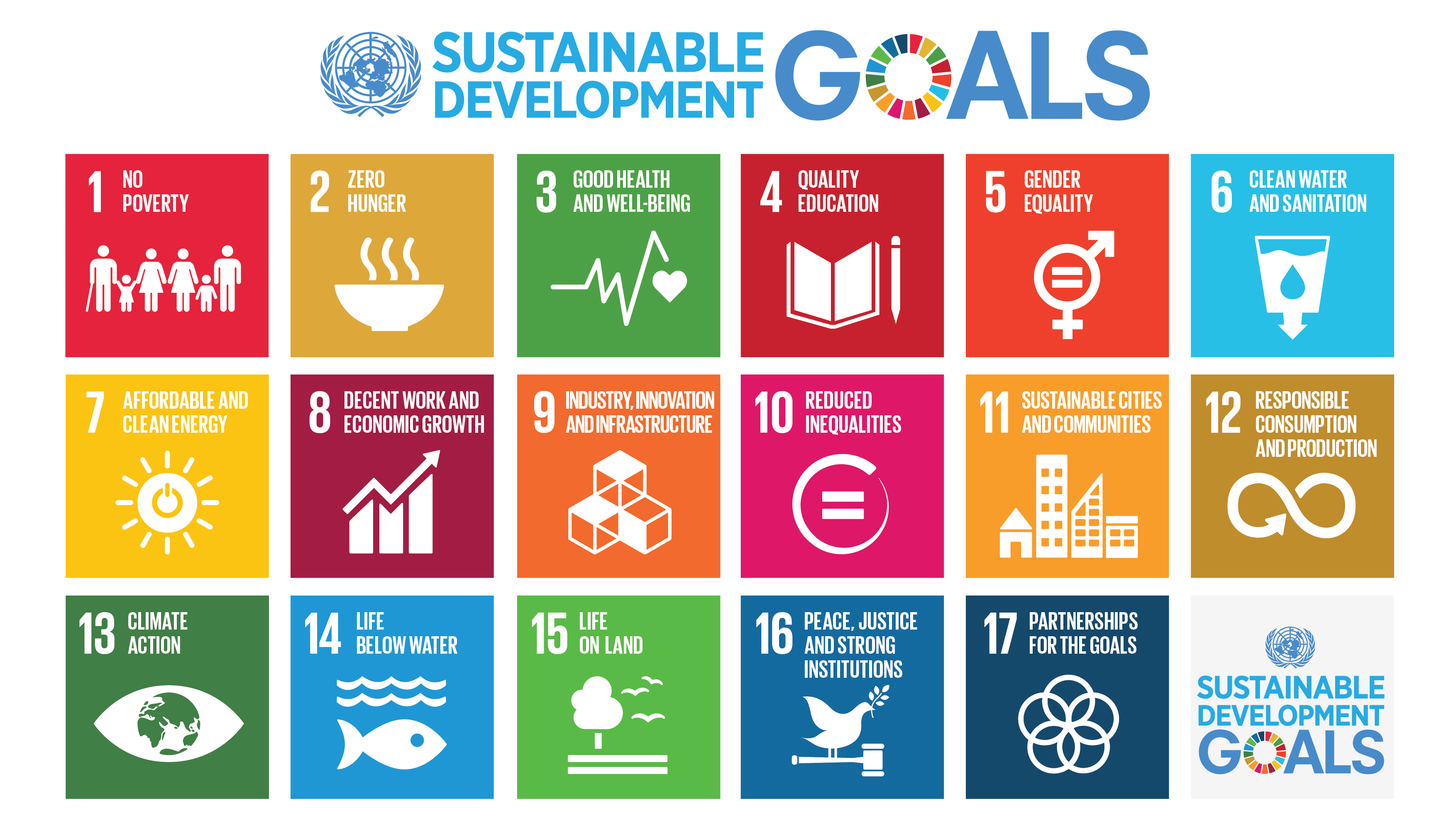
The motto of iEarn is to learn with the world, not just about it.  iEarn is a non-profit organization whose goal is to connect educators and students with others around the world to collaborate using technology.  They want to see students change the world and believe that through collaboration they can do just that.  Currently it is the largest non-profit organization of its kind with over 30,000 schools and youth organizations taking part in collaborative projects (Bates, 2014).  iEarn also boasts a safe environment for students and schools to engage with one another on these collaborative projects which means schools can feel ensured that they are using a reputable tool.  From solving the world's hunger crisis to analyzing climate changes, students collaborate with others to work toward solving some of our biggest issues.  The image below shows the goals of the collaborative projects students all over the world partake in.


TakingItGlobal is “one of the world's leading networks of young people learning about, engaging with, and working towards tackling global challenges (“About TakingItGlobal”).  The main users of TakingItGlobal are the youth of the world for the sole reason that today’s youth will be responsible for tackling some of the major challenges we face in society today.  Besides empowering students to take a stance and make a change, the vision of TakingItGlobal is to help students understand and empathize with the world around them.  Their educational website (http://www.tigweb.org/tiged/)  offers many resources and suggestions for how to use TakingItGlobal in the classroom and with your students.  Registering your school is simple and free.  Once you have registered then you may search for collaborative projects that suit the needs of your students. Teachers can even partake in professional development courses offered through the site to help them better understand how to use TakingItGlobal in the classroom.  


References:


Bates, L. (2014 April 30). 5 great tools to make global classroom connections.  Fractus Learning. Retrieved from http://www.fractuslearning.com/2013/05/31/global-classroom-connections/


Singmaster, H. (2015 April 16). Technology ideas and tools to connect students to the world. Education Week.  Retrieved from http://blogs.edweek.org/edweek/global_learning/2015/04/technology_tools_to_prepare_your_students_for_the_21st_century.html


TakingItGlobal about. Retrieved from http://www.tigweb.org/


iEarn about. Retrieved from https://iearn.org/about


Sunday, March 20, 2016

Tools for Global Communication


Having a French pen pal was one of my favorite memories as a student in the classroom.  The thought of having someone to converse with all the way over in France just seemed so cool to me at the time.   I was so engaged in the process of being able to connect with another student and ask questions back and forth.  While having pen pals fosters communication both locally and globally, many other classrooms are taking it a step forward by incorporating technology.  Using technology to enhance the communication in the classroom allows for immediate access to the world around us.  Why is this such an important aspect of the 21st century classroom? Well, enhancing global communication in the classroom prepares today’s student to meet the demands of a competitive, global workforce.  


The internet today provides an amplitude of resources for educators to enhance global communication in the classroom.  Take for instance Twitter.  Twitter allows for immediate global connection with individuals around the world.  Teachers and students can easily find people to connect with to enhance content in the classroom and collaboration.  

Skype is another tool that allows classrooms to hold video chats.  These chats can be with others around the world or perhaps even an interview with a scientist or historian.  Ronan (2015) suggests combining both Twitter and Skype to take part in #mysteryskype which connects classrooms from different countries with one another.  Their objective is to figure out where the other is located via Skype after connecting through Twitter.  


Google also offers many tools to enhance communication.  Google Hangouts is free and allows teachers and classrooms to connect worldwide.  Together students can collaborate on projects, hold video conferences and chat one-on-one.  The Google Hangouts Guide for Teachers demonstrates how teachers can get started and offers many ideas on how to use it to enhance global communication in the classroom.  

Video streaming providers like Youtube and Ustream allow for educators to connect their classrooms with live happenings around the world.  From watching baby chicks hatch to seeing NASA’s latest announcement on space exploration, students are instantly connected with the world around them.  Students can even upload their own presentations or hold live demonstrations for others to watch around the world.  Again, sign-up for both services is free and easy to do.  

Another valuable resource which I have recently discovered for enhancing global communication is World View: Technology Tools to Enhance Global Education.  This site breaks tools and resources into three categories for easy integration into the classroom: content, context, and contact.  


Reference:

Ronan, A. (28 January 2015).  5 tech tool combos for taking your classroom global. Edudemic. Retrieved from http://www.edudemic.com/5-tool-combinations-for-globalizing-class/

Sunday, March 13, 2016

Web 2.0

Whether the use of Web 2.0 tools is cultivate a virtual learning environment or to aid teachers in differentiation of their classroom lessons, there are countless benefits to using Web 2.0 tools in the classroom.


Benefits of using Web 2.0 tools:


  • Support virtual learning environments
    • Keeping track of student through their assignments and progress
    • Automated messages to remind students of upcoming activities/assignments
    • Quick, easy ways to check what kids know by creating quizzes/assessments
    • Document-sharing/collaboration


  • Support communication and cultivate collaboration among students, parents, teachers and the whole school community
    • Post important information (syllabus, links, resources, etc.) that is easily accessible
    • Classroom or students blogs to begin discussions, assess prior knowledge and to give “shy” students a chance to speak up


  • Support teaching and learning through available resources online
    • Bring audiovisual resources into the classroom
    • Virtual simulations
    • Games for building skills, reinforcing concepts, test prep


  • Authentic artifacts created by students to demonstrate their learning
    • Video presentations to document learning
    • Creating podcasts out of stories or writing assignments
    • Create projects and presentations online


Reference:

Light, D and Polin, D. (2010 June 28). Integrating Web 2.0 tools into the classroom: changing the culture of learning. Center for Children and Technology. Retrieved from http://cct.edc.org/sites/cct.edc.org/files/publications/Integrating%20Web2.0.PDF

Sunday, February 28, 2016

Reflection (EDU 641)

Coming into this course, I was aware of applications and programs that may be used in the classroom to enhance instruction.  I was aware that technology proves to be an engaging tool to captivate and challenge students (Kenney, 2011).  However, I have gained a significant amount of knowledge on what it means to be a technology coordinator “behind the scenes”.  What I mean by this, is that I have learned that it begins by setting goals and then working with your colleagues to achieve these goals.  It is more than just using technology in one lesson and then saying you have successfully integrated technology into the classroom.  Technological Pedagogical Content Knowledge (TPACK) framework was another aspect of this course that I had never heard of before and really, this is where it all begins.  Teachers must be up-to-date, comfortable and knowledgeable on technologies that are used in their content area or on technologies that could enhance instruction in their content area.  I also found researching current arguments in the educational world (BYOD, virtual schools, brick and mortar libraries, etc.) to be extremely relevant to the work I plan on doing. This has all strengthened me as an educator and also has motivated me to continue to develop myself as a technology integration specialist.  

It is vital to perfect the technology integration craft and develop professional development to support this because it benefits all stakeholders involved.  School systems can collaborate on what it means to be a school that prepares their students for the future workforce and beyond. “We are living in a new economy—powered by technology, fueled by information, and driven by knowledge” (Heman, 1999). We want to challenge our students to become part of the global competitive workforce and we must start at the core: What expectations do we have? How will we get there? How will we know when our students have achieved them?   Collaboration and communication are key aspects to support this framework.  Though we all must play our part in developing ourselves through professional development and research, it simply cannot be done by one person alone.  

References:

Herman, A. (2009). Futurework-trends and challenges for work in the 21st century.  United States Department of Labor.  Retrieved from http://www.dol.gov/dol/aboutdol/history/herman/reports/futurework/execsum.htm

Kenney, L. (2011).  Elementary education, there’s an app for that. The Elon Journal of Undergraduate Research in Communications. Retrieved from http://www.elon.edu/docs/e-web/academics/communications/research/vol2no1/07kenney.pdf