Sunday, January 17, 2016

Saturday, January 9, 2016
TPACK
 |
| Source |
Technological Pedagogical Content Knowledge, or TPACK, is a framework designed to help teachers incorporate technology into their curricula. The framework is centered around three areas of knowledge: technological knowledge (TK), content knowledge (CK) and pedagogical knowledge (PK). The content is the what or the subject is being taught. The pedagogy is the how this is being taught. Finally, the technology is the tool that is aiding both the pedagogy and the content. For example, what tool will make the content more accessible while supporting the pedagogical approach of the lesson. The TPACK framework looks at how teachers connect all three areas to increase student motivation and make technology more accessible. The framework also provides guidance to teachers for appropriate technology integration (Koehler, Mishra, Akcaoglu, & Rosenberg, 2013). One fundamental idea behind the TPACK model is that all teachers teach differently and what may work for one teacher or school may not work for another. This means there is no universal model to implement TPACK but rather teachers should be active designers in the development of their lessons to include TPACK.
 |
| Source |
With all the new, innovative ways to use technology in the classroom, it is important that we as teachers do not get too excited to the point we just want to use the technology to use it. When implementing TPACK, it is important begin with the content knowledge and the pedagogical knowledge first. Then, layer in the technological aspect. This way we do not lose sight of the fundamental goals and the technological piece is supporting pedagogy and content. This can be challenging but it is essential in using the TPACK framework correctly. Staying focused on how students will reach understanding of the content in the most effective way should be at the forefront of the teacher’s design process.

Though the TPACK framework has been around for quite sometime, many teachers do not know what it is. Therefore, there may be some problems in implementing it. Also, it takes time. This is not something that can be incorporated overnight. Teachers must become familiar first with the goals of TPACK and second with instructional tools associated with the TPACK model. Just like our students, teachers learn differently as well. What works for some may not work for others and this is where collaboration among educators is key to supporting the TPACK model. While some may take the concept of TPACK and run with it, others may become overwhelmed and shut down. This is not the goal of TPACK but rather the opposite. Creating a supportive, collaborative atmosphere among colleagues is important when implementing the framework.
In the article, Instructional Planning Activities Types as Vehicles for Curriculum-Based TPACK Development (2009), there are several activity types and ways in which technology may be used to support the TPACK model. For instance, when building knowledge of content there are several options to include possible technologies. One such example could be to have students create a timeline using the Timeliner. This is software that allows students to organize data and to visualize connections. Another great example is to have students take part in a debate through discussions in Wikispaces. Using a tool like this will allow for the students who are not often heard to have a voice, making the content more accessible to them.
One of the best aspects of the TPACK model is that it is designed to work in all content areas. No matter the subject matter, there is always a way to ensure the framework is being met. It may take time to plan, search and implement but in the end the intended goal is that our students will be more engaged and motivated in their learning experiences.
References
Harris, J. &. (2009). Instructional planning activity types as vehicles for curriculum-based TPACK development. Research highlights in technology and teacher education 2009 , 99-108.
Koehler, M. J., Mishra, P., Akcaoglu, M., & Rosenberg, J. M. (2013). The Technological Pedagogical Content Knowledge Framework for Teachers and Teacher Education.
Sunday, December 20, 2015
Hats of the Technology Integration Specialist
 |
| Source |
There has been an ongoing shift in the educational system in connection with the way we as educators are expected to teach, the way our students are expected to learn and the standards to which we expect them to perform. As Sarah Meltzer (2013) suggests, schools are being targeted and challenged to respond to a technology-based world. This in turn means that expectations of the teacher have significantly increased if we want our students to be fully engaged in meaningful lessons. When it comes to professional development as it relates to technology integration in schools, we must look at it through a different approach.“Providing effective and sustainable professional development in technology to a group of teachers requires a very different approach”(Meltzer, 2013). Taking a one-day workshop on how to use a new software program will simply not cut it. Technology integration is a process, therefore the professional development aspect is as well.
In terms of pedagogy and technology integration, it is pivotal that the classroom teacher is included in the discussion of what will take place in the classroom. This is not subject matter that can be solely left up to administration. Simply put, if a teacher is not comfortable in their own ability to use the technology, how could we ever expect them to teach/use it effectively with the students? To help solve this issue “it is important that educators perceive technology in education as part of the pedagogical process” (Okajie, Olinzock, & Okokjie-Boulder, 2006). Technology by no means is a replacement of the teacher but rather a tool to help the teacher captivate the student. As Adam Bellow (2012) mentions in the short video An Introduction to Technology Integration, it's what you do with that tool, what you can make, what you allow the students to make.
 |
| Source |
Of course with every change will come the challenges and as a technology integration specialist there are many. One major factor is time. It takes time to integrate technology into a curriculum and it takes time to move a school forward with a technology-based mindset. There must be a clear goal in place as to what direction the school is moving toward and where they expect themselves to be in a 3-months, 6-months or up to a year from the initial proposal. Also, a technology integration specialist cannot succeed this on their own. They must have the support of administration, faculty and the school community. A study by Hew and Brush in 2006 found six general barriers when integrating technology into K-12 schools. The most frequent barrier was found to be lack of resources/technology. This includes factors such as hardware, software, internet access and specialists. The second most occurring barrier was lack of knowledge on technology. Again, this brings up the issue and importance of professional development for teachers. The next barrier was insufficient access to technology, meaning that technology was not easily accessible for teachers or students. For instance, a school with one one computer lab may often find teachers competing to get in there. Then there is the barrier of teacher attitude and beliefs. If a teacher finds that technology serves no purpose in the classroom then they will simply not integrate it into their instructional time. Assessment is also a major barrier frequently brought up in relation to technology integration. Some argue that with so much pressure and demand to “teach to the test” there is simply no time to put forth in technology integration. Finally, the last barrier Hew and Brush focus on is subject culture. This barrier involved educators picking and choosing what they feel is appropriate for their content-area.
References
Conley, L. (2010). Barriers to integrating technology. The Digital Librarian.
Retrieved from https://sites.google.com/site/thedigitallibrarian/barriers-to-integrating-technology
Fink, Z. (December 12, 2012). An introduction to technology integration. [Video file]. Retrieved from http://www.edutopia.org/technology-integration-introduction-video
Meltzer, S. (2013). Step-by-step professional development in technology. London, ENG: Routledge.
Okojie, M., Olinzock, A., & Okajie-Boulder, T. (2006). The pedagogy of technology integration. Journal of Technology Studies, 32, 66-71.
Thursday, March 26, 2015
Google Apps for the Classroom
The use of Google Apps in a school setting can be used between students and teachers to collaborate, communicate, synthesize, analyze, create projects and so much more! Anyone can sign-up for a Google account and once that is done the possibilities endless . Google has a website, Google for Education, that allows educators, students and parents to explore all the benefits of incorporating Google Apps into their school setting. The great aspect about Google Apps is that they can be used between teacher and student, student to student, or teacher to all students. Not only will the students be engaged because they are collaboratively working together but they are also doing something they enjoy: Communicating with one another on their device’s. There is no worry about printing or saving documents because everything is easily stored in a user’s Google Drive, which is pretty much like a USB that you can access from any device. Perhaps the best feature of Google Apps for education is the fact that they are all free!
In my own school, all students starting in fourth grade are set up with a Gmail account through the school’s technology teacher. This way they are prepared to start sharing and collaborating on documents once they get to middle school. The teachers have also been using Google Apps for sometime now. Often the Principal will share a document or notice that she may need editing on what us to review. This is a fast and efficient way to get the message out without copying and wasting paper. I personally love Google Apps and have been using it for about two years now. I just love the ease of access to all my files and the user-friendliness the applications.
.png)


In my own school, all students starting in fourth grade are set up with a Gmail account through the school’s technology teacher. This way they are prepared to start sharing and collaborating on documents once they get to middle school. The teachers have also been using Google Apps for sometime now. Often the Principal will share a document or notice that she may need editing on what us to review. This is a fast and efficient way to get the message out without copying and wasting paper. I personally love Google Apps and have been using it for about two years now. I just love the ease of access to all my files and the user-friendliness the applications.
Survey Results (Using Google Forms)

.png)
.png)
Sunday, March 15, 2015
Social Media in the Classroom: Pros and Cons
In today's world of educational debates, there is a focus on whether social media can be a useful tool when integrated into the classroom. Here is my pros and cons list as to the use of social media in the classroom:
Pros:
The use of social media allows students to collaborate and connect with one another outside of the classroom walls. This is particularly important when talking about group projects and assignments. With the use of social media, students are no longer restricted to their class period to work on things together. Social media also allows others to comment and share thoughts on projects allowing for an environment more similar to the work environment. The use of social media may also allow parents to stay connected to what is going on in the classroom. Applications like Remind and Edmodo, make it easy for teachers to get an important message out to parents or to students.
Cons:
When using social media in the classroom, the teacher must also take on the role of moderator to make sure what students are posting is appropriate. This can take time to go through and check. With social media comes cyberbullying and the worry that students are using social media in inappropriate ways. Again, this would fall on the teacher to ensure that students are aware of consequences and what is considered a "good" post versus a "harmful" post. Then there is the whole other issue that students are not getting the right amount of time communicating face-to-face, both with peers and with family. Adding the social media component to their school day may hinder this face-to-face communication during afterschool hours. Finally, not all children have access to the internet or a device let alone the ability to connect to a peer via a social networking site.
Friday, February 20, 2015
Digital Citizenship-Never Too Early To Begin
 |
| http://mattbgomez.com/we-should-be-doing-more-than-teaching-digital-citizenship/ |
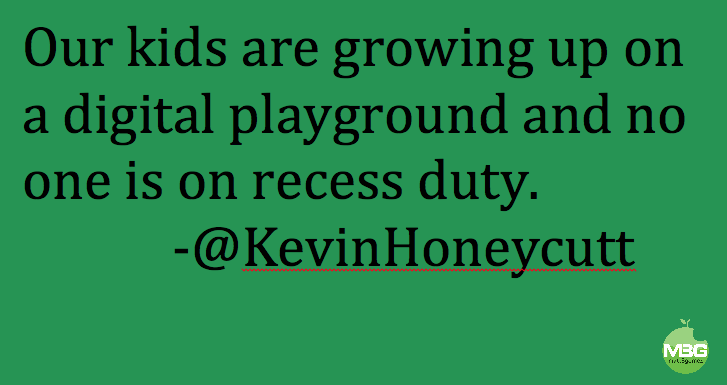
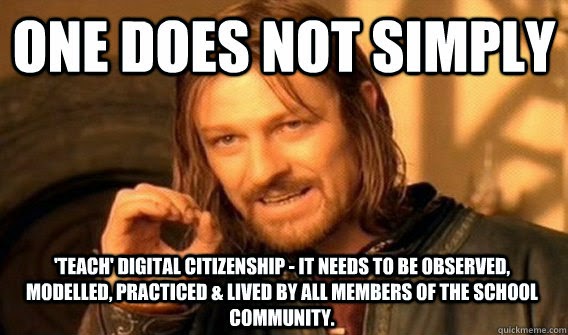
Digital citizenship, in my opinion, should be taught early and often. If I could have it my way, as young as kindergarten when we start teaching the students concepts of “stranger danger”. Let’s be honest, these kids are on the internet whether we want to believe it or not at this young age anyways. The concept of knowing how to act and behave online can be overlooked by many teachers or adults with the simple assumption that the children know how they should behave and act. In my own experience, many times I have also overheard “teacher room talk” with suggestions that perhaps the parents need to look at their child and what they are doing online. The blame can be put on all sorts of people, but that will not solve the matter at hand of how do we teach children the importance of protecting themselves through respecting themselves online? I feel that there is a strong need for children to learn what their digital footprints implies, how it can follow them their whole life, and how to protect it.
 |
| http://www.quickmeme.com/meme/3rgi6e |
Sunday, February 15, 2015
The role of a technology integration specialist....
This will be my second course here at SNHU focused toward on the field of being a technology integration specialist. My first course here had me hooked and diving right into using technology in the classroom. Then came the educational courses, though full of great information and strategies, did not focus on the role of technology in the classroom. Either way, knowing that this was my passion, I was able to incorporate it as best as I could. Using technology and technological concepts within my action research projects. Going back to my first course, my professor was a technology integration specialist which was was a rewarding experience because I got to hear of some of her challenges and triumphs in the field. Over time I have come to look at the role of a technology specialist as someone who collaborates with others on a daily basis in order to provide tips and strategies focused on the integration of technology in the classroom. They are the one's doing the research behind the scenes of what is most effective and what just simply will not work for the school/district in terms of time, commitment and financial restraints. Then, this takes away the burden of classroom teachers having to do the research all themselves, while still planning lessons, grading student work, and researching their own instructional areas.
As far as today's students, they are rapidly exploring and using technology in more ways than most people can imagine. Unlike some adults who may be timid to dive into technology, today's students are curious. They are not afraid to "break" something per se, but rather they want to learn how to build it back up. In my own experience I have found that of course there are some challenges though. That is why it is up to technology educators to seek answers to these issues. Elsewhere others are dealing with the some of the same issues and that is where we must research effective ways before we deem the technology ineffective or problematic.
I think the role of today's teacher is to continue to look for and seek out new ideas to transform their classrooms. Perhaps this is why some are so afraid to step out of their "comfort-zone" and build that wall up between adapting their lesson and sticking with what they know.
As far as today's students, they are rapidly exploring and using technology in more ways than most people can imagine. Unlike some adults who may be timid to dive into technology, today's students are curious. They are not afraid to "break" something per se, but rather they want to learn how to build it back up. In my own experience I have found that of course there are some challenges though. That is why it is up to technology educators to seek answers to these issues. Elsewhere others are dealing with the some of the same issues and that is where we must research effective ways before we deem the technology ineffective or problematic.
I think the role of today's teacher is to continue to look for and seek out new ideas to transform their classrooms. Perhaps this is why some are so afraid to step out of their "comfort-zone" and build that wall up between adapting their lesson and sticking with what they know.
Subscribe to:
Posts (Atom)